
Screenshots

App details
- Updated
- Dec 18, 2019
- Language
- Spanish,English
- Developer
- IVT Corporation
- Category
- Mobile
SoftPas in:
This product is also available in the following languages:
About BlueSoleil
Download BlueSoleil – bluetooth, wireless, connection, device, pairing, transfer, computer, software, driver, utility
Overview
BlueSoleil is a professional Windows-based Bluetooth application developed by IVT, designed to facilitate seamless connectivity between a wide range of Bluetooth-enabled devices and a computer. The software serves as a comprehensive utility for users who require reliable and efficient wireless communication, particularly in environments where multiple devices must be managed simultaneously. Its primary purpose is to enable pairing, data transfer, and network creation between devices such as mobile phones, headsets, keyboards, printers, and other Bluetooth-capable peripherals. By acting as a central hub for Bluetooth operations, BlueSoleil enhances productivity and simplifies device integration for both personal and professional users.
Target users include individuals who rely on Bluetooth for daily workflows, such as remote workers using wireless keyboards and mice, professionals managing multiple devices, and IT administrators deploying Bluetooth solutions in office settings. The software is especially valuable for users who need consistent and stable Bluetooth performance across diverse hardware platforms. Given its long-standing reputation in the market, BlueSoleil plays a significant role in the broader Windows ecosystem by offering a robust alternative to built-in Bluetooth drivers and utilities.
Although the developer did not provide additional technical details about the software’s architecture or development philosophy, its continued presence in the market suggests a commitment to reliability and compatibility. Real-world use cases include transferring files between a smartphone and a PC, connecting a wireless headset for audio streaming, and establishing ad-hoc networks between computers for collaborative work. The app remains a trusted tool for users seeking a dedicated Bluetooth management solution beyond standard OS-level features.
Key Features & Functionality
- Multi-Device Pairing – BlueSoleil allows users to pair and manage multiple Bluetooth devices simultaneously, streamlining the process of connecting peripherals like keyboards, mice, headsets, and smartphones without requiring constant reconfiguration.
- File Transfer Protocol Support – The software supports Bluetooth file transfer, enabling users to send and receive documents, photos, and other data between a computer and a Bluetooth-enabled mobile device securely and efficiently.
- Network Creation and Sharing – Users can establish personal area networks (PANs) between Bluetooth-enabled computers, facilitating local data sharing and internet tethering without the need for Wi-Fi or cables.
- Driver Integration – BlueSoleil includes built-in drivers that enhance compatibility with a wide range of Bluetooth hardware, reducing the likelihood of connection failures or device recognition issues.
- Advanced Device Management – The interface provides detailed device status, connection history, and configuration options, allowing users to troubleshoot issues and optimize performance.
For example, a user working remotely can pair their Bluetooth keyboard, mouse, and headset through a single interface, ensuring all devices remain connected without interference. Another common scenario involves transferring photos from a smartphone to a desktop for editing, where BlueSoleil ensures a stable connection and fast transfer speeds. The ability to create ad-hoc networks also benefits teams collaborating in environments with limited internet access, allowing them to share files and resources directly.
Interface, UX & Performance
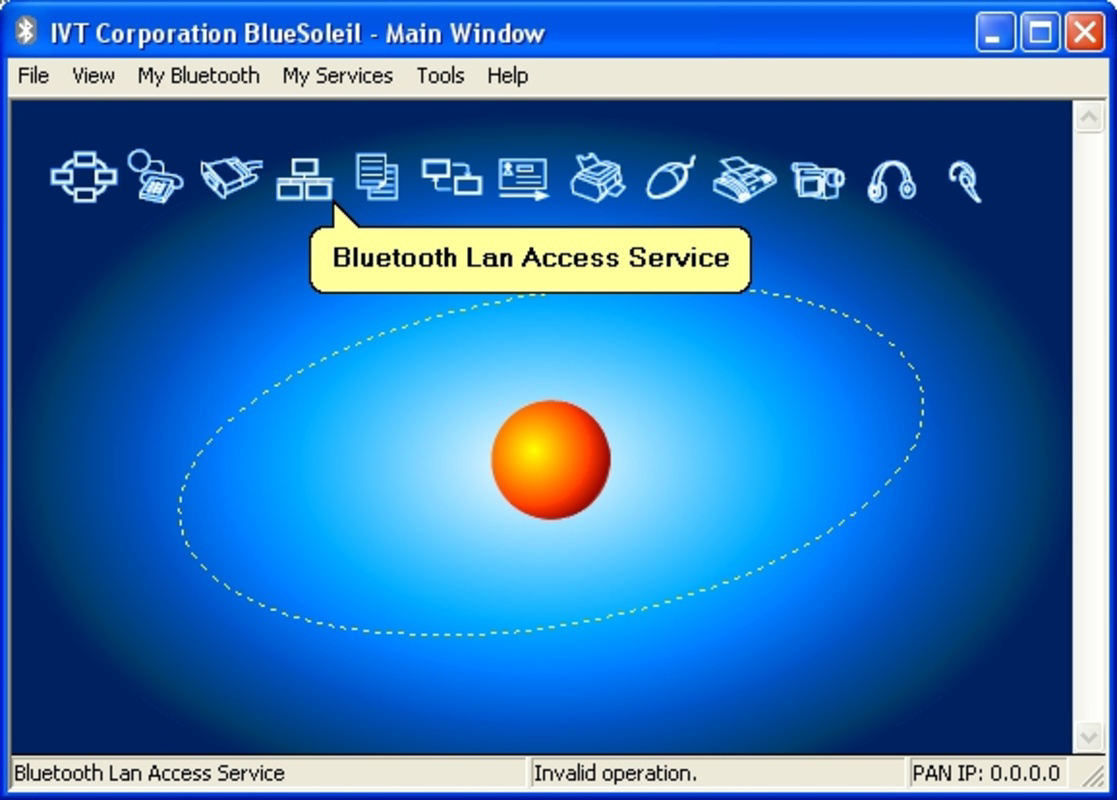
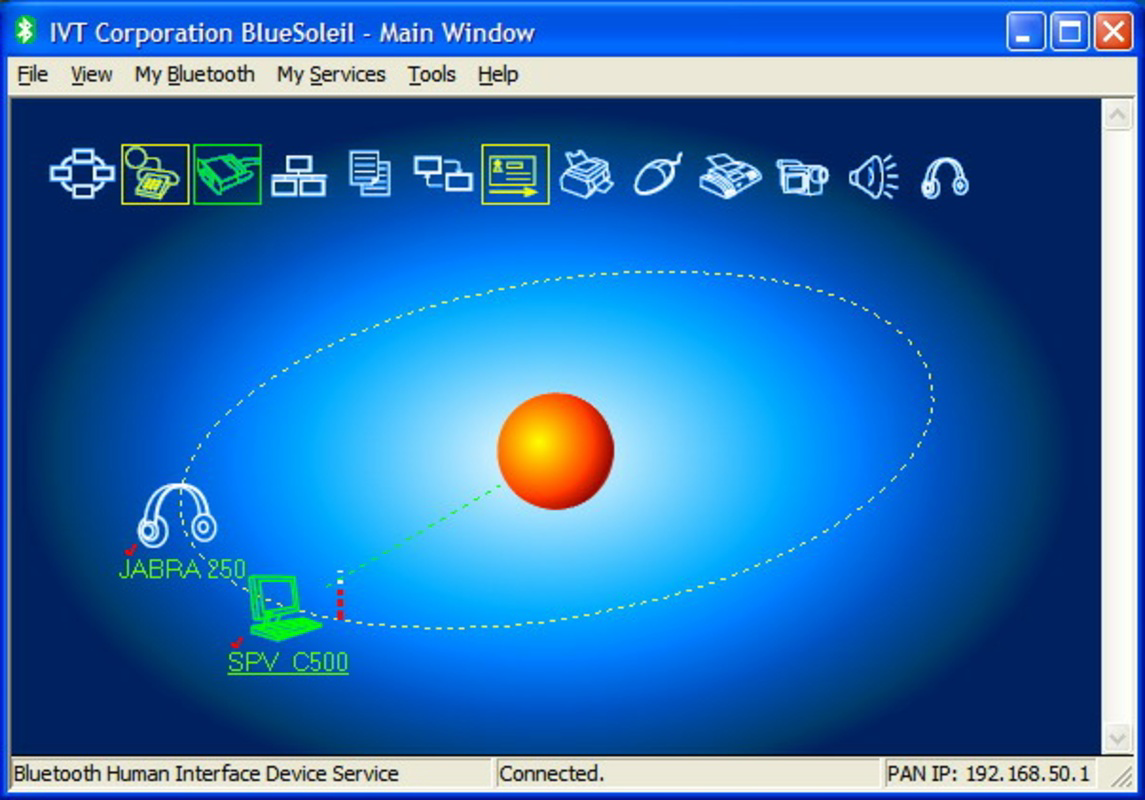
BlueSoleil features a clean and functional user interface designed for both novice and advanced users. The layout organizes key functions—pairing, device management, file transfer, and network settings—into clearly labeled sections, enabling intuitive navigation. Visual indicators show the connection status of each device, helping users quickly identify active or disconnected peripherals. The application maintains a minimalistic design with straightforward menus, reducing the learning curve for new users.
Navigation is consistent across all major functions, with logical flow from device discovery to pairing confirmation and data exchange. The software responds promptly to user inputs, and although the developer did not list formal performance metrics, users can expect stable operation across various Windows hardware configurations. Responsiveness remains high even when multiple devices are connected, and the application does not exhibit noticeable lag or crashes during routine tasks.
Although the developer did not specify minimum OS requirements, BlueSoleil is designed to run efficiently on modern Windows systems. Stability is maintained through regular updates, and the software integrates well with the Windows environment without conflicting with core system processes. For users managing multiple Bluetooth devices, the interface’s clarity and performance contribute significantly to a smooth and frustration-free experience.
Platform Compatibility & Technical Requirements
BlueSoleil is available exclusively for the Windows platform, making it suitable for desktop and laptop users running Windows operating systems. The current version is 10.0.3, with a file size of 24.3 MB, indicating a lightweight installation that does not consume significant system resources. The software is offered free of charge, making it accessible to a broad audience without financial barriers.
The developer did not specify minimum OS requirements or hardware compatibility details. However, given its compatibility with a wide range of Bluetooth devices and its long-standing presence in the market, it is likely optimized for recent versions of Windows, including Windows 10 and Windows 11. Users should ensure their system has a compatible Bluetooth adapter to take full advantage of the software’s capabilities. Compatibility information was not fully disclosed, so installation on older or less common Windows configurations may require additional verification.
Pros and Cons
Pros
- Free to download and use, making it accessible for personal and professional users.
- Supports multiple device pairing and simultaneous connections.
- Includes built-in drivers for improved hardware compatibility.
- Enables file transfer and network creation between Bluetooth devices.
- Stable performance with minimal resource usage.
Cons
- Platform limited to Windows; no support for mobile operating systems.
- Specific system requirements were not listed by the developer.
- Interface may appear outdated compared to modern software designs.
- Limited availability of official documentation or support resources.
- No visible update frequency or changelog details provided.
FAQ
Is BlueSoleil safe to download and install?
Yes, BlueSoleil is a legitimate software application developed by IVT. It is free and does not contain malware or intrusive ads. Users should always download from official sources to ensure security.
Can I use BlueSoleil on my laptop with Bluetooth?
Yes, if your laptop has a built-in Bluetooth adapter or an external one, BlueSoleil can manage it. The software enhances the functionality of standard Bluetooth drivers.
Does BlueSoleil support mobile phones and headsets?
Yes, BlueSoleil supports a wide range of Bluetooth devices, including smartphones, headsets, keyboards, and printers, enabling pairing and data transfer.
Is BlueSoleil compatible with Windows 11?
While the developer did not specify compatibility details, the software is designed for Windows and is expected to work on Windows 11 systems with a compatible Bluetooth adapter.
How often is BlueSoleil updated?
The update frequency is not publicly disclosed. However, the current version is 10.0.3, suggesting regular maintenance and improvements.
Final Thoughts
BlueSoleil stands out as a reliable and efficient Bluetooth utility for Windows users who demand more than the standard operating system provides. Its ability to manage multiple devices, transfer files, and create local networks makes it a valuable tool for both everyday users and professionals. Despite its limited platform scope and lack of detailed technical documentation, its performance, stability, and free availability offer strong value.
Users who frequently connect Bluetooth peripherals, need secure file transfers, or require ad-hoc networking will benefit most from this software. For those relying on a Windows PC and seeking a robust, dedicated Bluetooth solution, BlueSoleil delivers consistent results without added cost.
Download BlueSoleil now
Guides & Tutorials
How to install BlueSoleil
- Click the Download button above.
- Once redirected, accept the terms and click Install.
- Wait for the BlueSoleil download to finish on your device.
How to use BlueSoleil
This software is primarily used for its core features described above. Open the app after installation to explore its capabilities.
User Reviews
No reviews yet. Be the first to share your experience.
You may also like
more
Que no te pillen¡
About !Que no te pillen¡Reviewed by Jason A. BilbreyShow MoreShow Less

3D Combat Zone
About 3D Combat ZoneOriginally released in 1983, 3D Combat Zone immerses players...

666: El día del portal
About 666: El día del portalOn June 6, 2006, Agent P. Stone uncovers a sinister...

80 in 1 Best Flash games
About 80 in 1 Best Flash games 80 in 1 Best Flash games is a collection of 80 fl...

ABYSS SEEKERーーWhat Do You See Deep in The Abyss
About ABYSS SEEKERーーWhat Do You See Deep in The AbyssIn ABYSS SEEKER, players...

ACA NEOGEO THE KING OF FIGHTERS 2002 for Windows
About ACA NEOGEO THE KING OF FIGHTERS 2002 for WindowsTHE KING OF FIGHTERS 2002,...